Your LinkedIn picture has to work small
LinkedIn often displays your photo in a small circle. A strong profile picture needs clear eyes, readable face detail, clean framing, and a background that does not compete for attention.
Your LinkedIn photo often becomes your first professional impression. ProfileReady turns 2-4 everyday selfies into clean, natural headshot options you can use for LinkedIn, resumes, founder bios, and work profiles.
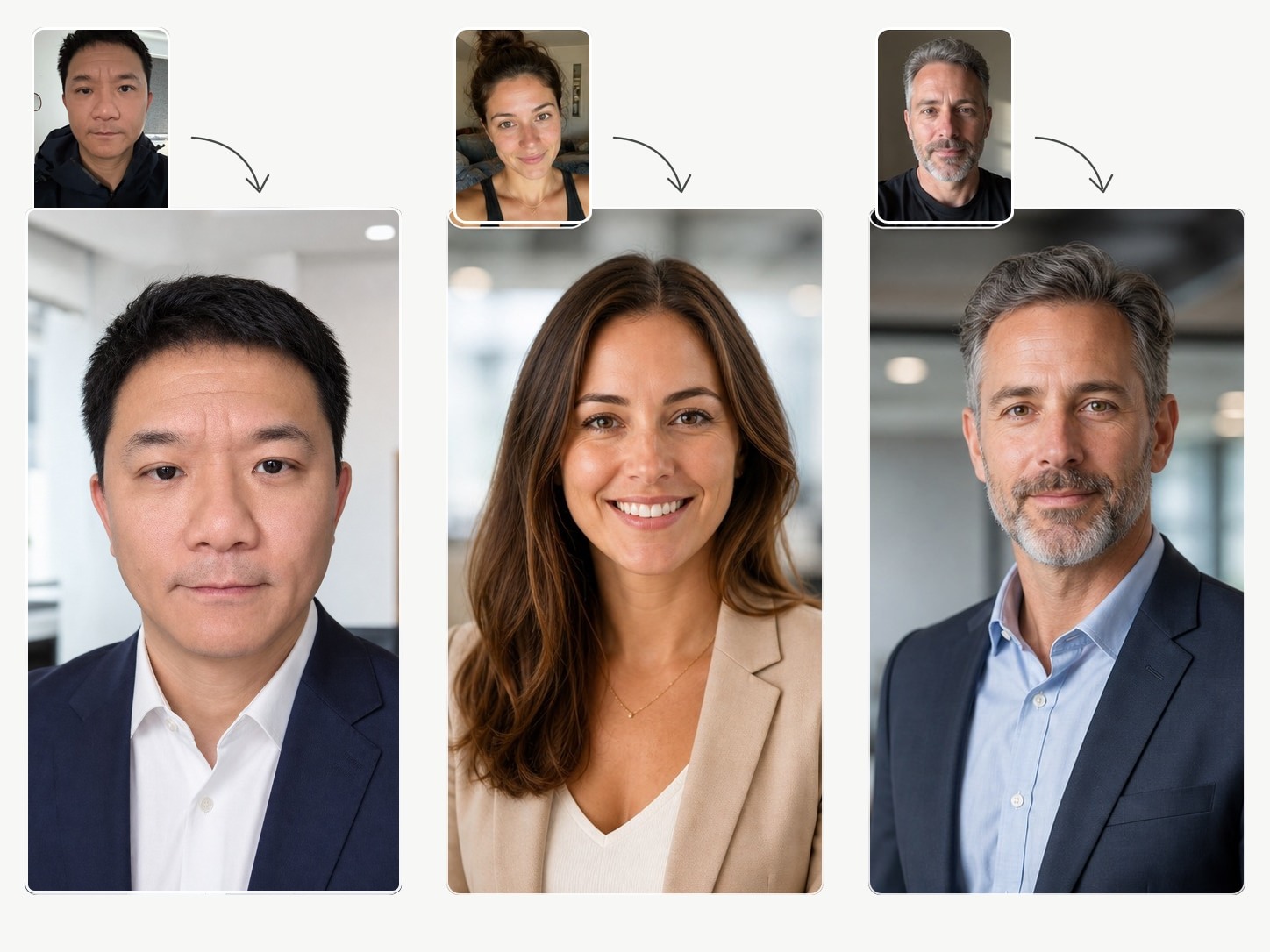
The goal is not to generate random headshots. It is to create a focused profile photo set for one real use case.
LinkedIn often displays your photo in a small circle. A strong profile picture needs clear eyes, readable face detail, clean framing, and a background that does not compete for attention.
A good LinkedIn profile picture should feel credible and approachable. It does not need to look like a passport photo or a formal studio portrait.
Clear selfies with good light, different angles, and natural expressions give the model stronger identity references and usually produce more usable options.
Once you choose your favorite option, you can use it on LinkedIn, resumes, email profiles, speaker pages, founder bios, or personal websites.
Upload 2-4 clear selfies, choose the profile goal, then generate a private result set. No prompt writing, no studio booking, and no complicated editor.
Yes. ProfileReady is designed to generate natural headshot options for LinkedIn and other professional profiles from uploaded selfies.
It should show a clear face, natural expression, simple background, and professional styling that fits your industry.
The prompt direction prioritizes identity accuracy and realistic retouching. The goal is a better photo of you, not a different person.
Use clear selfies you already like. Better source photos give the model a better chance of creating a result you will actually use.